
Overview
To manage hen house data, you will need to use hen house list screen.
Hen house list Screen is located inside master data menu and under hen house tab
Adding New Hen House
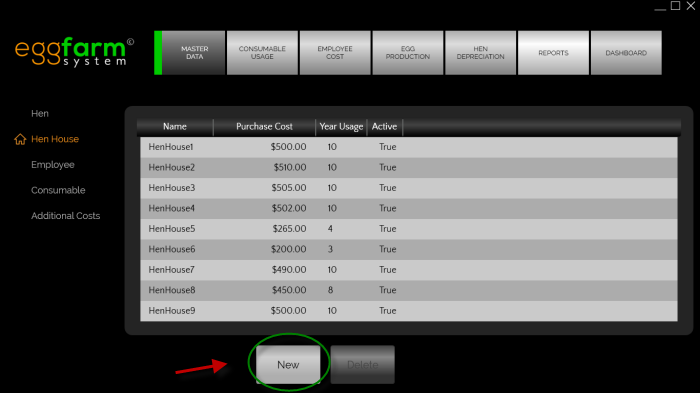 To add a new hen house data, please press the "New" button in hen house list screen.
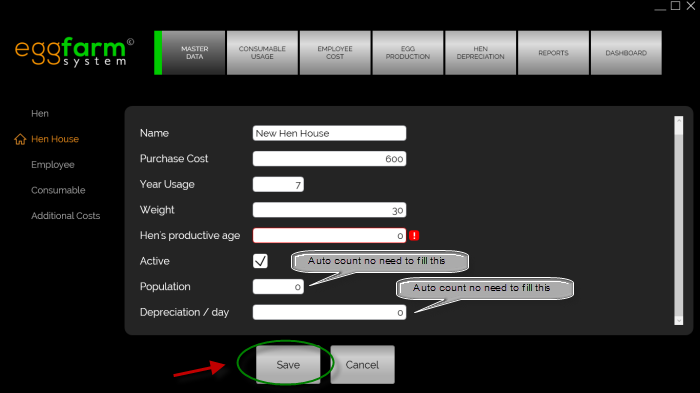 The hen house entry screen consists of several important fields:
-
Name
Name for the hen house. -
Purchase Cost
Total cost spent for purchasing this hen house. -
Year Usage
Estimation of total usage in year. -
Weight
Weight of this hen house. -
Hen's Productive Age
Estimation of total days needed for a hen to be productive.(will be used for other calculation) -
Active
Active or not. -
Population
Total hen population of this hen house. -
Depreciation/day
Depreciation is taken from magic formula:Depreciation = Weight x PurchaseCost / Population
Fill hen house fields and ensure there is no warning sign.
Please note that "Population" and "Depreciation/day" field is readonly.
Once you've finished please press Save button
Editing Hen House
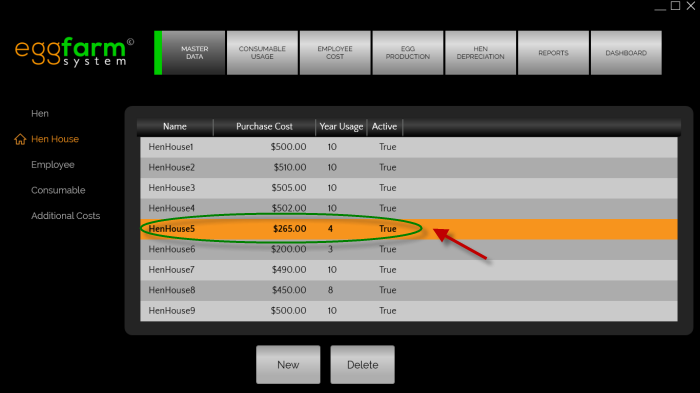 To edit a house data, just double click the corresponding house in hen house list screen
Deleting hen House
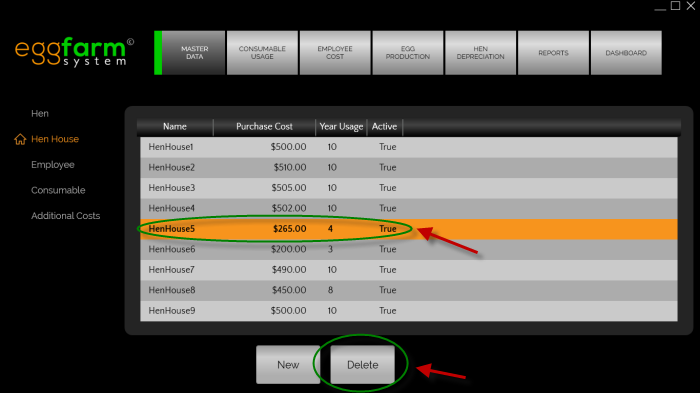 To delete a house data, please select the corresponding house from the list then press the delete button.