
Overview
Reports list screen is used for view/generating reports.
It can be accessed from reports main menu
The available reports that can be view/generate are:
-
Employee Cost Report
-
Usage Report
-
Egg Production Report
View a Report
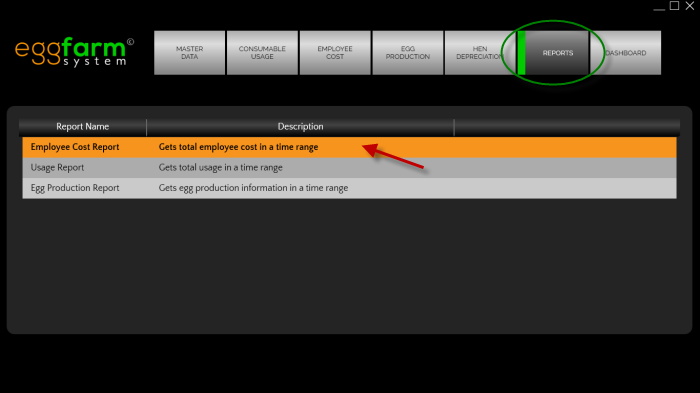 To view a report, you will need to be in reports list screen and double click the type of report you want to view.
You will enter report view screen after that.
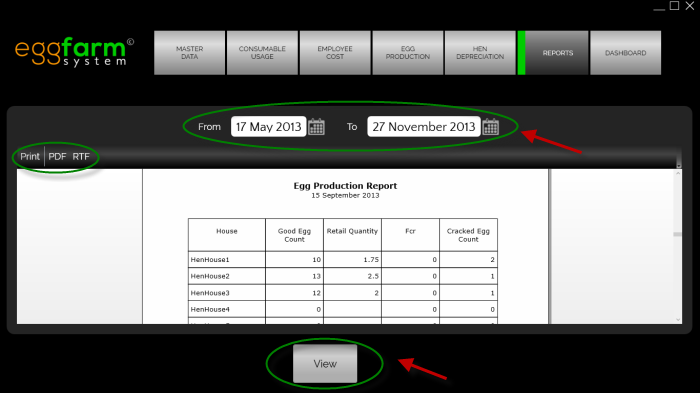 Pick the date range and press the "view" button to view the report.
You can also print or export the report to PDF or RTF format by clicking the button on top left of the report view.